
JumpJumpVPN: Fast & Secure
SOON BODYWERKZTools
4.37.31K Reviews
- Version
- 3.5.2
- Installs
- 100.00M
- Age Rating
- Everyone
Screenshots
Our Review of JumpJumpVPN: Fast & Secure
 Analysis by Appyee
I approached JumpJumpVPN: Fast & Secure as a practical privacy tool rather than a magic switch for the internet. It is a free Android app from SOON BODYWERKZ, listed for everyone and positioned in the Tools category. Its simple promise is attractive: connect a VPN when you want another layer between your device and the network you are using. In everyday life, that can be useful, but a VPN also asks you to think carefully about trust. Your traffic still has to pass through someone’s infrastructure, so convenience should not replace attention to permissions, account choices, and the information you share.
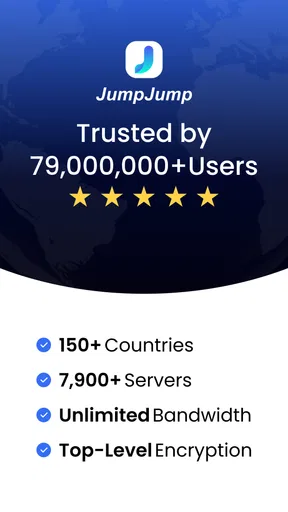
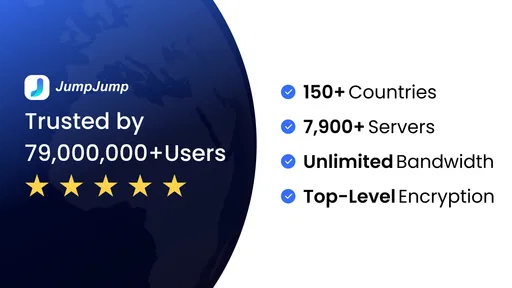
My overall impression is that this app is aimed at people who want a straightforward VPN entry point without paying before trying it. It has a 4.5 average from around 986 thousand ratings and has passed 100 million installs, which makes it a widely used option rather than an obscure experiment. Those figures can help a reader understand its visibility, but they do not prove that it is the best choice for every privacy-sensitive situation. I would still judge it by what the app asks me to allow, what it explains clearly, and how much control it gives me before I connect.
What trust means when using a free VPN
A VPN changes the path your connection takes. That can be helpful on a shared network, when I am travelling, or when I do not want the local network operator to see every destination my device contacts. It does not make me anonymous, and it does not automatically make unsafe websites safe. I still need to watch for phishing, use strong passwords, and remember that services I log into can identify me through my account.
The free price is the first important part of the trust question. JumpJumpVPN can be installed without an upfront payment, while optional in-app purchases range from $3.99 to $23.99 per item. That arrangement is convenient because I can test the basic experience before spending anything. It also means I would read each purchase screen carefully rather than assuming that every useful option is included at no cost. A free VPN is not necessarily a bad VPN, but the business model deserves the same attention as the connection button.
The developer shown for the app is SOON BODYWERKZ, and the current version is 3.3.0. I like seeing a clearly identified developer and a current version label because they give me a place to start when checking updates and support information. Still, a version number alone is not a privacy guarantee. My habit would be to review the app’s visible privacy explanations and Android permission prompts at installation and again after major updates.
One practical rule makes the app easier to evaluate: I would not install it immediately before handling something highly sensitive. I would first open its setup screens on a normal day, inspect the choices presented, and decide whether the wording is understandable. That gives me time to stop if a request feels broader than the VPN’s basic job. Trust is easier to assess when I am not rushing to protect a connection at an airport or hotel.
Checking permissions before connecting
Android VPN apps normally need the operating system’s VPN approval to create a protected tunnel. That approval is significant because it affects how network traffic is handled, so I would read the system dialog instead of tapping through it automatically. I would also check the app’s permission page in Android settings and look for any access that seems unrelated to establishing or managing a VPN connection.
This is one of the most useful checks for JumpJumpVPN because it separates the VPN function from everything else an app might request. A tool that needs network access is expected to behave differently from a tool that asks for contacts, photos, microphone access, or location. I would deny unrelated permissions unless the app explains a specific feature I genuinely intend to use. If denying one prevents the core connection from working, that is useful information about how tightly the app’s design is tied to that permission.
I would repeat this review after an update. Apps can change their permission requests as features change, and a familiar icon should not make me assume the behavior is unchanged. The same approach also helps answer a common concern: whether the app is suitable for a secondary or older Android device. The listed minimum is Android 7.0, so devices running that version or later meet the stated operating-system requirement. On an older phone, I would pay special attention to battery settings and background restrictions because those can affect how reliably a VPN stays active.
Visible controls matter more than a reassuring label
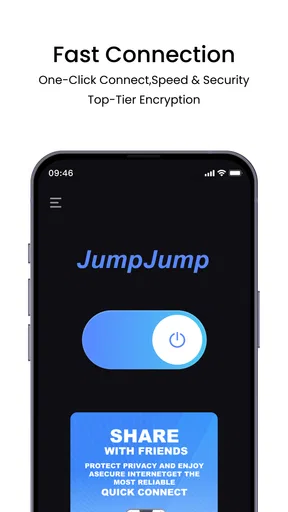
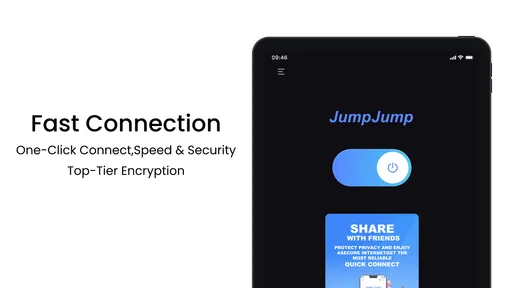
The words “fast” and “secure” set an expectation, but I would judge the app through the controls I can actually see. Before connecting, I want to know whether the interface makes the current state obvious, whether disconnecting is easy, and whether Android shows the VPN indicator. A clear connected or disconnected state is not a cosmetic detail: it prevents me from mistakenly believing that traffic is protected when the tunnel has dropped.
I would also test the basic workflow in a low-risk setting. I might connect before opening a news site, switch between Wi-Fi and mobile data, then disconnect and confirm that ordinary connectivity returns. This does not prove the quality of the underlying service, but it reveals whether the app behaves predictably during a normal transition. If the connection silently disappears or the interface leaves me uncertain, I would not rely on it for an important task.
Another useful habit is to avoid treating a VPN as an always-on answer without checking the phone’s own controls. Android can display VPN status and, depending on the device, offer system-level options for blocking connections without a VPN. If JumpJumpVPN works cleanly with those controls, I gain more confidence that I can notice a failure. If the app’s interface is my only indication, I would be more cautious during unstable connections.
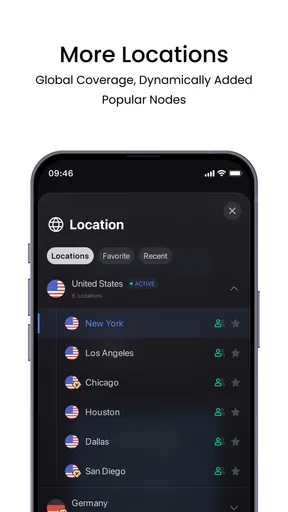
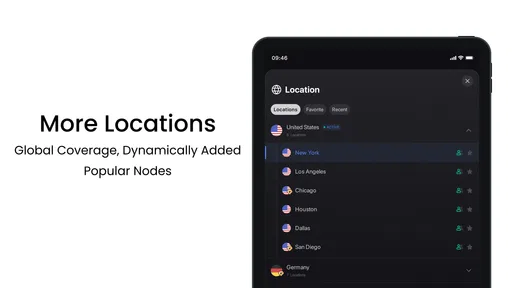
For a quick public-network session, a simple connect-and-disconnect design is a strength. For advanced users, the trade-off is different. They may want detailed protocol choices, server information, routing exclusions, or granular automation. I would not assume those controls exist merely because the app is labelled secure. Anyone who needs a very specific network configuration should inspect the actual interface first and choose a service that exposes the settings they require.
When I would be most careful with personal data
The moments that matter most are not all equal. If I am reading general websites on café Wi-Fi, I may value convenience and a visible connection state. If I am accessing banking, medical portals, work documents, or private messages, I raise my standards. I use the service only if I understand the app’s choices and feel comfortable with its data practices. A VPN can protect part of the journey, but it does not remove the need for the website’s own security or my own judgement.
I would be especially cautious with account creation and optional purchases. Before entering an email address, payment details, or any profile information, I would ask whether the account is necessary for the exact feature I want. If the app offers a free path, I would use that first and avoid supplying extra information simply to explore the interface. If I decide to buy an item, I would confirm the amount, billing terms, and the account used by Google Play before completing the transaction.
A realistic example is a hotel stay. I might arrive, join the hotel’s Wi-Fi, and need to check a work calendar. I would first connect JumpJumpVPN, wait for Android to show the active VPN state, and then open the calendar. If the connection fails while I am moving between the lobby and my room, I would pause rather than continue assuming protection. For a particularly sensitive work task, I might use mobile data or an employer-approved VPN instead, because the right choice depends on policy and trust requirements, not just the presence of a VPN button.
Streaming and location-sensitive services are another area where expectations should stay realistic. A VPN may alter how a service sees the connection, but that does not mean every platform will accept it or provide the same content. I would not subscribe to an in-app purchase solely to chase a particular catalogue or region until I had checked the service’s rules and tested whether the app actually meets that need. A privacy tool is not automatically a reliable entertainment-unblocking tool.
How I would use the app without giving up control
The best user experience for me is one where I remain in charge. I want to choose when to connect, know when the connection is active, and be able to stop it without hunting through confusing menus. I would keep Android’s VPN settings easy to reach, review the app’s notifications, and remove permissions that are not needed. If the app makes an optional feature feel compulsory, I would treat that as a reason to slow down and investigate.
I would also separate convenience from identity. Connecting through a VPN does not hide the account I use on a website, the payment profile attached to a purchase, or information I voluntarily submit. For that reason, I would not use JumpJumpVPN as a reason to reuse passwords, skip two-factor authentication, or download files from questionable sources. The app can be one layer in a safer routine, not the whole routine.
There is a useful workflow for people who switch networks often. I would connect before joining an unfamiliar Wi-Fi network when possible, verify the status indicator, and then perform only the task I need. When finished, I would disconnect if I do not need the VPN and check that the phone still has normal internet access. This reduces the chance of leaving a connection active by accident and makes it easier to notice whether the app causes problems with a particular network.
Battery and performance are also part of user agency. A VPN may add overhead, and the effect can vary with the phone, network, and distance to the service. I would compare the phone’s behavior during a short ordinary session rather than judging it from the word “fast.” If browsing becomes frustrating or a video call becomes unstable, I would disconnect and use another connection for that task. The right trade-off is not identical for a quick message and a long download.
Where it fits beside familiar alternatives
Compared with using public Wi-Fi without a VPN, JumpJumpVPN gives me an additional layer for network traffic and a clearer moment at which I can choose protection. That is its most understandable advantage. Compared with a paid VPN from a provider whose privacy documentation and support model I already trust, the free option may be less appealing for someone who needs predictable support, detailed configuration, or a clearly defined long-term service relationship.
It also sits differently from a browser’s private mode. Private browsing mainly limits local browsing traces such as history and cookies within the browser session; it is not a replacement for a VPN. JumpJumpVPN addresses the network path at the device level through Android’s VPN mechanism, while private mode addresses local browser behavior. I would use neither as an excuse to ignore website security or account privacy.
An employer-managed VPN can be a better choice for work because it may connect to company resources and follow an organization’s security rules. JumpJumpVPN is more suitable for personal, general-purpose use where I want a simple network privacy layer. Likewise, a built-in secure DNS option may be enough for someone whose goal is only to protect DNS queries, while a VPN is a broader change to how traffic is routed. Choosing between them depends on the problem I am actually trying to solve.
The app’s large install base and strong average rating make it easy to discover, but I would not use popularity as a substitute for reviewing controls. Ratings often reflect ease of use, connection success, or general satisfaction rather than the exact privacy requirements of a particular person. I would read recent user feedback for recurring connection or billing complaints, then test the app myself with non-sensitive activity before making it part of my routine.
Who should try it, and who should look elsewhere
I think JumpJumpVPN is worth trying for an Android user who wants a free starting point, needs a simple way to add VPN protection on public networks, and is willing to inspect permissions and connection status. It may also suit someone who does not want to commit to a subscription before understanding whether a VPN fits their habits. The everyone age rating makes it broadly accessible, but younger users should still be guided about account details, purchases, and the limits of VPN privacy.
I would look elsewhere if I needed a business-managed connection, advanced routing controls, highly specific server selection, or a service chosen primarily through independently documented privacy practices. I would also skip it for tasks where my employer, school, or financial provider requires an approved VPN. In those cases, compatibility and accountability matter more than the convenience of a free general-purpose app.
Users who dislike optional purchases should pay attention to the upgrade path before settling in. The app is free to install, but in-app items are available, so I would not hand my phone to a child without purchase protections enabled. I would also avoid entering payment information inside the app unless the exact benefit and billing arrangement are clear. That is a small step, but it prevents a privacy decision from turning into an unwanted spending decision.
My cautious verdict
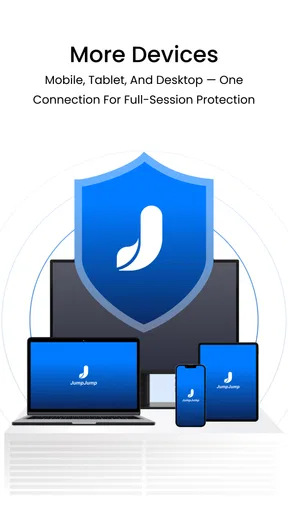
JumpJumpVPN is an approachable tool for adding a VPN step to everyday Android use, especially when I am dealing with unfamiliar Wi-Fi and want a quick, reversible choice. I appreciate the free entry point, the broad device compatibility beginning with Android 7.0, and the fact that the app has become familiar to a large audience. Those are practical reasons to test it, not reasons to trust it blindly.
My recommendation comes with a condition: I would use it only after checking the Android approval screen, reviewing the app’s visible choices, confirming the connected state, and keeping my sensitive accounts protected in their own right. I would test network changes before relying on it and avoid assuming that a VPN provides anonymity or guarantees access to every online service. The most important control is knowing when the protection is active and when it is not.
For casual personal use, the app can be a reasonable first experiment. For professional, regulated, or unusually privacy-sensitive work, I would choose an option whose controls, support, and documented practices match those demands more closely. That balance is why I see JumpJumpVPN as a useful convenience tool rather than a complete privacy strategy. If you approach it with that expectation, check what you are allowing, and keep control of your own accounts and purchases, it is easier to decide whether it belongs on your phone.
Privacy and Permissions
See what permissions an app requests and how it handles your data.
- Phone
- read phone status and identity
- Photos/Media/Files
- read the contents of your USB storage, modify or delete the contents of your USB storage
- Storage
- read the contents of your USB storage, modify or delete the contents of your USB storage
- Wi-Fi connection information
- view Wi-Fi connections
- Device ID & call information
- read phone status and identity
- Other
- view network connections, change network connectivity, full network access, prevent device from sleeping, read Google service configuration
Verdict
Strengths of JumpJumpVPN: Fast & Secure
- One-tap connection makes it easy for beginners to use.
- Offers a quick way to secure traffic on public Wi-Fi.
- Lightweight design should have minimal impact on device storage.
- Useful for accessing region-limited websites while traveling.
- Simple server selection keeps the interface easy to navigate.
Limitations of JumpJumpVPN: Fast & Secure
- Connection speeds may vary depending on server distance and congestion.
- Free access may include limits, ads, or fewer server locations.
- VPN use can noticeably reduce battery life during extended sessions.
- Some streaming platforms may detect and block its VPN servers.
- The privacy policy should be checked carefully before trusting sensitive data.
Other Releases by SOON BODYWERKZ
View All
SpeedTop VPN: Fast & Secure
Tools4.3
Similar Picks in This Category
View All
Google LLC4.0

Gboard - the Google Keyboard
Google LLC4.5

Google Play services
Google LLC4.3

Google Play Store
Google LLC4.9

Files by Google
Google LLC4.5

SHAREit: Transfer, Share Files
Smart Media4U Technology Pte.Ltd.4.3
Frequently Asked Questions
What is JumpJumpVPN: Fast & Secure, and what does it do?
JumpJumpVPN: Fast & Secure is a virtual private network app designed to route your internet traffic through a VPN server. It can help protect data on public Wi-Fi, mask your visible IP address, and provide access to servers in different locations. As with any VPN, its actual speed, privacy protection, and available locations may depend on the selected server, your connection, and the app’s current policies.
Is JumpJumpVPN: Fast & Secure free to use?
The app may offer free VPN access, but users should check the current store listing and in-app terms before downloading because pricing, limits, advertisements, and premium features can change. Free plans commonly include restrictions such as fewer server choices, slower speeds, connection limits, or usage caps. Review the subscription details carefully, especially trial periods and automatic renewal conditions.
Does JumpJumpVPN: Fast & Secure keep my online activity private?
A VPN can encrypt traffic between your device and its VPN server, which is useful when connecting through unsecured networks. However, it does not make you completely anonymous and does not prevent websites from using cookies, accounts, or browser fingerprinting. Before relying on JumpJumpVPN for sensitive activity, read its privacy policy to understand what connection information, diagnostic data, or usage logs may be collected.
Will JumpJumpVPN: Fast & Secure improve internet speed or work with streaming services?
JumpJumpVPN may provide a stable connection when its selected server is close and not overloaded, but using a VPN can also reduce speed because traffic takes an additional route. Streaming, gaming, and video calls may perform differently depending on server distance and network congestion. Access to particular streaming catalogs is not guaranteed, since many services actively detect and block VPN connections.
Is JumpJumpVPN: Fast & Secure safe and easy to use on Android or iPhone?
The app is intended to provide a simple connection process, generally allowing users to choose a server and activate the VPN with a tap. Before installing, download it only from the official Google Play Store or Apple App Store and check the developer information, permissions, ratings, and recent reviews. Keep the app updated, avoid unknown APK files, and remember that a VPN does not replace antivirus protection or safe browsing habits.
